Partner Access Code
A Partner Access Code is a 4-digit code that allows our support team to send you an invitation to grant temporary access to your Shopify store. This enables us to efficiently troubleshoot, debug, or fix theme-related issues on your behalf.
💡 Important: As of 2024, Shopify requires all new stores to set a Partner Access Code. We strongly recommend you configure this code so we can assist you faster when needed.
🔑 How to Find Your Partner Access Code
-
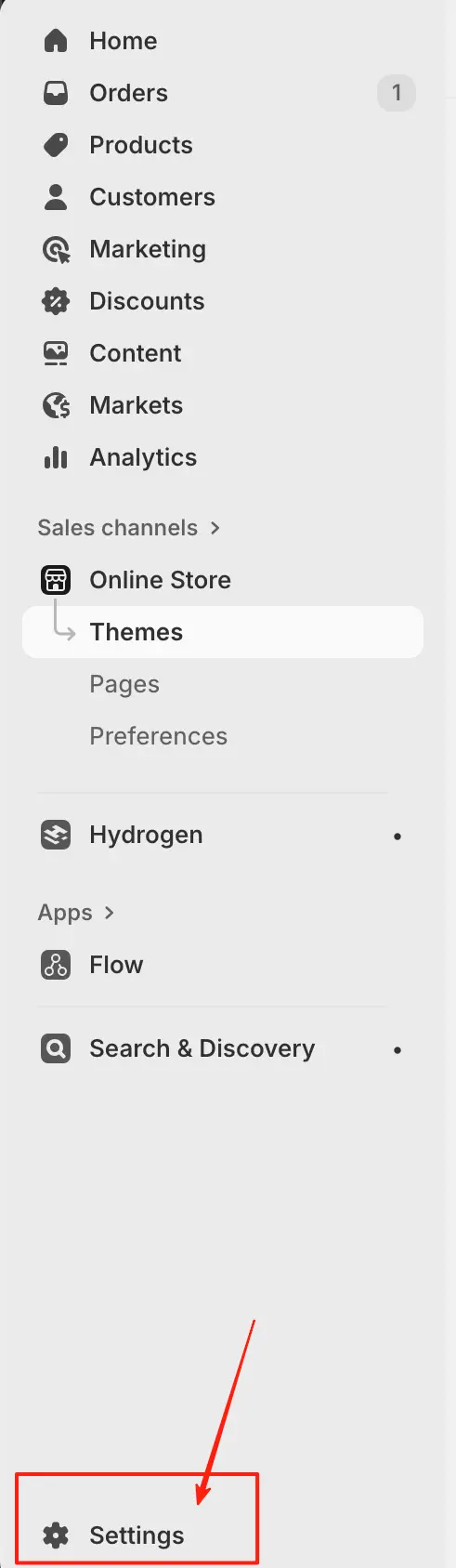
In your Shopify admin, go to Settings (bottom-left corner).
-
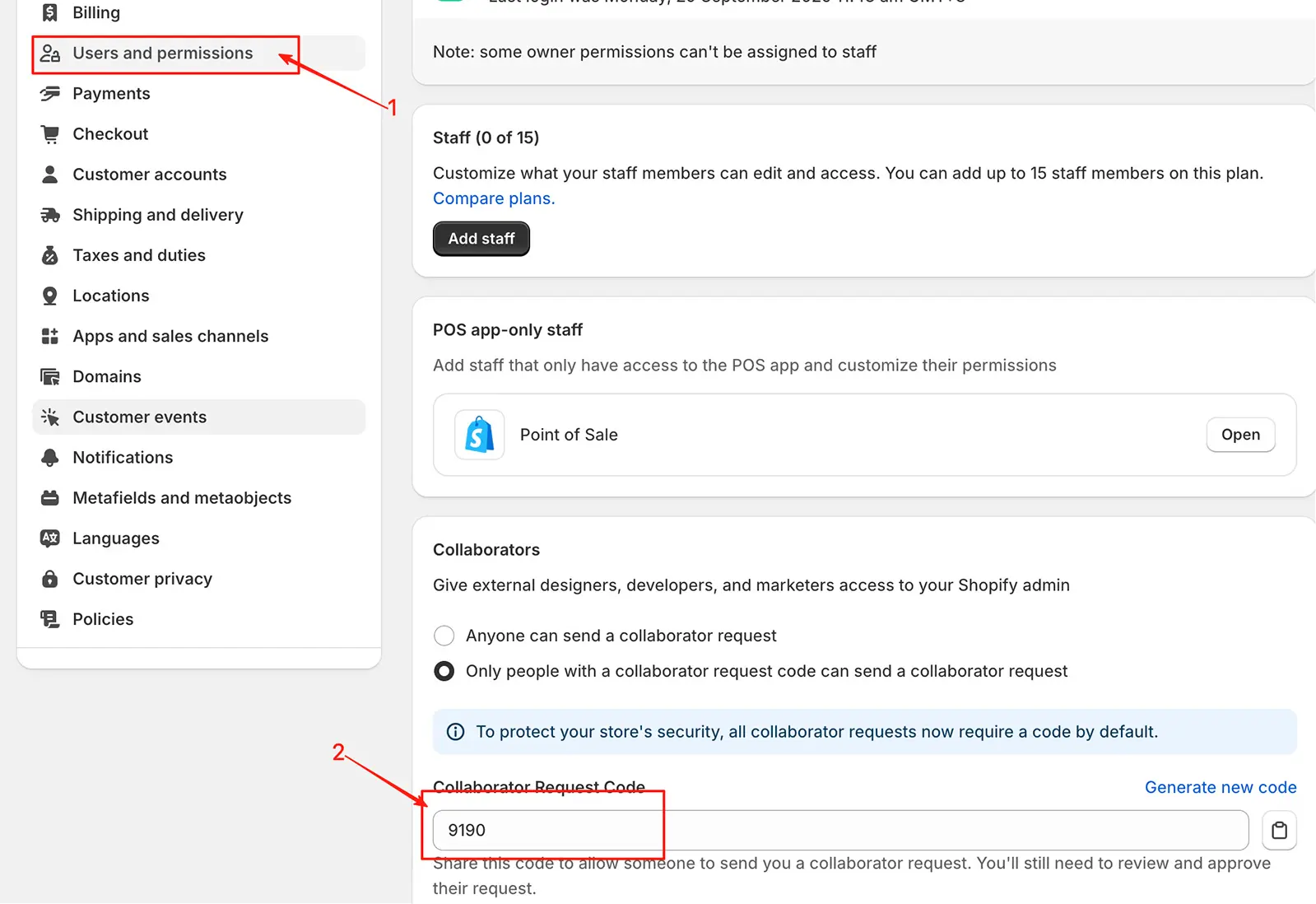
Click Users and permissions.
-
Scroll down to the Partner access section.
-
Copy the 4-digit code displayed in the “Partner access code” field.
✅ Tip: Keep this code secure—only share it with trusted Shopify Partners or official support representatives.
🛠️ Why Provide This Code?
- Allows our team to request secure, time-limited access to your store
- Speeds up resolution of theme bugs, layout issues, or performance problems
- No need to create staff accounts or share passwords
⚠️ Note: Granting access is always your choice. You’ll receive an email notification and must approve every access request manually.
❓ FAQ
Can I change my Partner Access Code?
Yes. You can update it anytime in Settings > Users and permissions > Partner access.
Is this code the same as my password?
No. It’s a separate, low-risk code used only to initiate access requests. Full access still requires your explicit approval.
What if I don’t set a code?
You’ll still be able to use your store, but Shopify Partners (including our support team) cannot request access, which may delay technical assistance.
💬 Need help? Share your Partner Access Code with our support team when reporting an issue—and we’ll get you a faster, more accurate solution.